Automate Your Website's Past Restoration, Save Time & Effort!

Our SaaS solution turns archived Wayback Machine data into
ready-to-use CSV files—no manual scraping required

Why Choose Us

Say Goodbye to Boring, Tedious Tasks

We automate the entire process, so you don’t have to spend hours scraping and formatting data.

How it Works

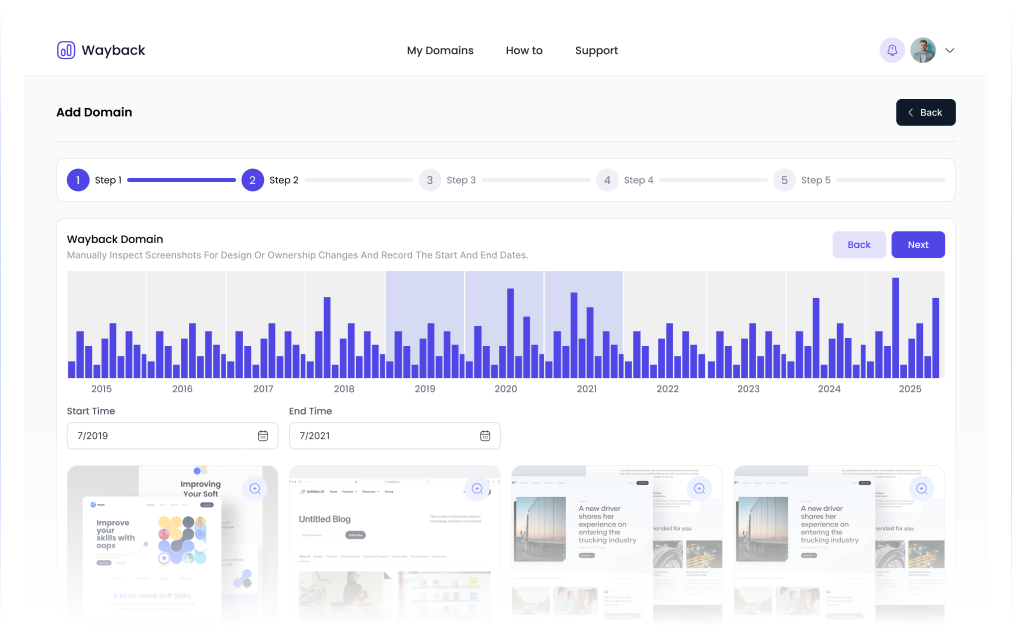
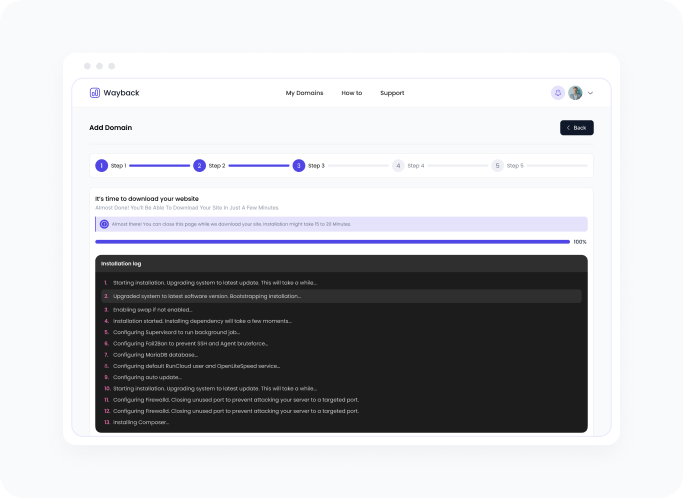
Effortless Data Restoration in 5 Simple Steps

Effortless Data Restoration in 5 Simple Steps
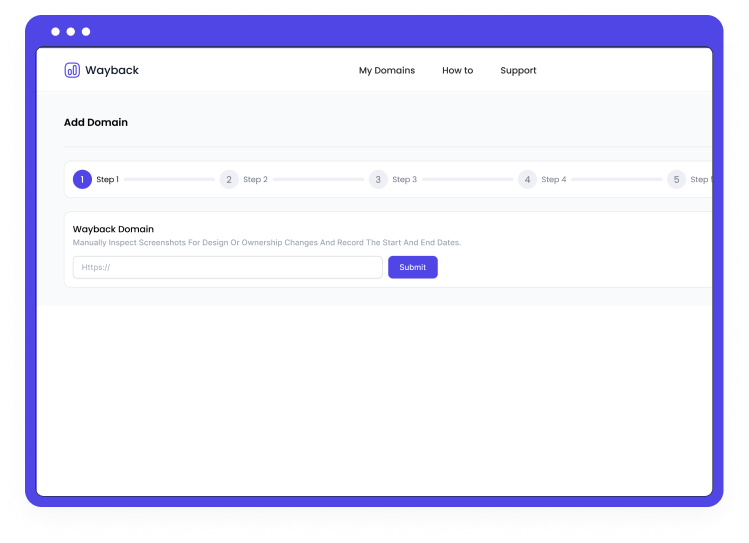
Enter Your Domain 1

Simply type the domain you want to restore into our easy-to-use dashboard.

Simply type the domain you want to restore into our easy-to-use dashboard.

Simply type the domain you want to restore into our easy-to-use dashboard.

Simply type the domain you want to restore into our easy-to-use dashboard.

Simply type the domain you want to restore into our easy-to-use dashboard.

How it Works

Flexible, Usage-Based Pricing

No. Of Articles

Feature

How we stand out in world

Offering unique features and benefits that are tailored to your needs.

Real-time monitoring and progress tracking.

Keep track of your data restoration progress in real-time. Get updates instantly, so you're always in control and know when your data is ready.

Exportable CSV files ready for analysis.

Once your data is restored, it’s instantly available in neatly organized CSV files, perfect for immediate analysis or integration with other tools.

Scale as you grow—no need for manual intervention.

Whether you need a small batch of data or a large-scale restoration, our platform scales effortlessly with your needs—no manual work required.

Secure and fast data
retrieval.

Your data is retrieved quickly and safely, ensuring the highest level of security and privacy throughout the process.

Testimonials

See How Our SaaS Transformed Workflows

Jane Cooper

@janecooper65

@pagedone You guys solved my struggle insanely quick and loved to recommend pagedone to friends 🙌
4.5
18 Dec 2024
Testimonials - 5

Arlene McCoy

@arlenemccoy65

Awesome work @pagedone
4.5
18 Dec 2024

Marvin McKinney

@marvinmckinney45

@pagedone it's truly been a game-changer for me.😊😍
4.5
18 Dec 2024
Testimonials - 6

Ronald Richards

@ronaldrichards47

@pagedone I love this. It is very easy to use
4.5
18 Dec 2024
Testimonials - 5

Darrell Steward

@darrellsteward68

Thanks to @pagedone, I feel more confident and informed about my investment decisions than ever before.
4.5
18 Dec 2024

Annette Black

@annetteblack35

@pagedone has helped me save money, reduce my debt, and invest in my future - it's the complete financial package.
4.5
18 Dec 2024
Testimonials - 3

Jenny Wilson

@jennywilson968

This @pagedone has transformed the way I manage my investments, making it easier than ever to keep track of my portfolio and maximize my returns. 😊
4.5
18 Dec 2024
Testimonials - 6

Arlene McCoy

@arlenemccoy65

@pagedone “I Love this." 😍
4.5
18 Dec 2024

Karla Lynn

Karla Lynn

I've been using @pagedone for a year now and it's made managing my finances so much easier. 🙌
4.5
18 Dec 2024

About Us

A Team Committed to Automating Your Success

Our open, flexible workspace encourages interaction and sparks inspiration, while dedicated areas provide quiet reflection.

Our Mission

Through a dedication to continuous learning, we foster a dynamic workforce capable.

Our Vision

We are committed to transforming the landscape by equipping our team with the skills.

Start Automating Your Wayback Data Retrieva

Reiterate the time and effort saved, and prompt users to take immediate action by signing up for your service.

FAQs

Got Questions?
We've Got Answers

Trusted in more than 100 countries and 5 million customers.

You have different questions?

Our team will answer all your questions. we ensure a quick response.

How to create an account?

To create an account, find the “Sign up” or “Create account” button, fill out the registration form with your personal information, and click “Create account” or “Sign up.” Verify your email address if needed, and then log in to start using the platform.

To create an account, find the “Sign up” or “Create account” button, fill out the registration form with your personal information, and click “Create account” or “Sign up.” Verify your email address if needed, and then log in to start using the platform.
To create an account, find the “Sign up” or “Create account” button, fill out the registration form with your personal information, and click “Create account” or “Sign up.” Verify your email address if needed, and then log in to start using the platform.
To create an account, find the “Sign up” or “Create account” button, fill out the registration form with your personal information, and click “Create account” or “Sign up.” Verify your email address if needed, and then log in to start using the platform.